

WiFi Reset
1. Locate the WiFi button on the onboard control box (top right corner, underneath the trim)
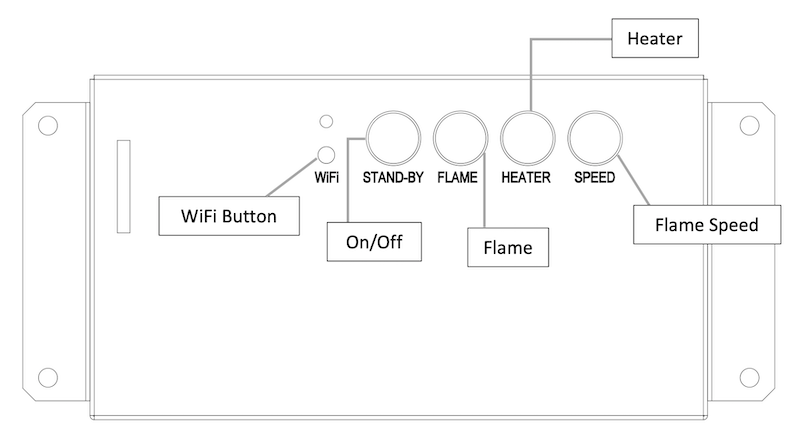
2. Press and hold the WiFi button until only the flame lights begin flashing red
3. Release the WiFi button, return to the app to reconnect
To reset the fireplace to its factory WiFi settings:
NOTE: When you reset the fireplace WiFi to its factory settings, you will automatically be disconnected from the fireplace in the app
Not finding what you're looking for? Contact Us Directly